
Best IPTV Service 2026: How to Choose the Right IPTV Provider
Finding the best IPTV servicecan be challenging because there are many IPTV providers, subscription plans, streaming applications, and device options available today. The right service is not necessarily the one advertising the largest number of channels. Instead, you should consider content selection, streaming quality, device compatibility, reliability, customer support, subscription flexibility, and whether the provider has the appropriate rights to the content it offers.
Whether you are looking for IPTV in the USA, Canada, UK, Europe, or another region, choosing the right provider can make a significant difference in your streaming experience.
In this guide, we explain what to look for when comparing IPTV services in 2026, how IPTV subscriptions work, which devices are supported, how to reduce buffering, and what questions you should ask before subscribing.
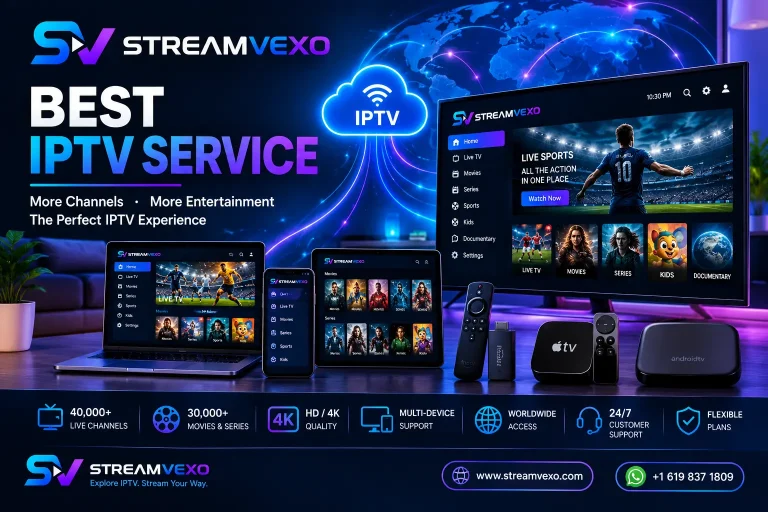
For users considering StreamVexo, the service currently advertises 40,000+ live TV channels, 30,000+ movies and series, multi-device compatibility, HD/4K options, and 24/7 customer support.
What Is an IPTV Service?
IPTV stands for Internet Protocol Television. Instead of receiving television programming through traditional cable or satellite infrastructure, IPTV delivers video content through an internet connection.
An IPTV service can provide different types of content depending on the provider, including:
- Live TV channels
- Sports
- Movies
- TV series
- News
- Entertainment
- Kids’ programming
- International channels
- Electronic Program Guides (EPG)
- Video-on-demand content
However, IPTV is a technology rather than a guarantee that every provider is legitimate or authorized to distribute everything it offers.
When choosing the best IPTV service, always check that the provider is authorized to offer the content you intend to watch in your location.
What Makes the Best IPTV Service?
There is no single IPTV provider that is perfect for every viewer.
The best IPTV service for you depends on your preferred channels, location, devices, budget, streaming quality, and support requirements.
Here are the most important factors to consider.
1. Channel Selection
Channel selection is one of the first things people look at when choosing an IPTV subscription.
A good IPTV service should provide the channels and categories that you actually watch rather than simply advertising an enormous channel number.
Depending on your interests, you may want:
- Live TV
- Sports
- News
- Movies
- TV series
- Entertainment
- International channels
- Kids’ channels
- Documentary programming
- Regional content
StreamVexo currently advertises more than 40,000 live TV channels and more than 30,000 movies and TV series, with content from countries around the world.
Before subscribing, however, check the provider’s current channel list and verify that the channels relevant to you are available.
2. Streaming Quality
Streaming quality is another major factor when comparing IPTV providers.
Depending on the provider and the specific content, IPTV streams may be available in:
- HD
- Full HD
- UHD
- 4K
A provider advertising 4K does not necessarily mean that every channel or program is available in native 4K. Resolution can vary by channel and content source.
For this reason, don’t choose an IPTV provider based only on a “4K IPTV” marketing claim.
Instead, look at the overall combination of:
Content + connection + device + application + provider infrastructure
A strong combination of these factors can produce a much better viewing experience.
3. Device Compatibility
One of the biggest advantages of modern IPTV is the number of devices that can support compatible IPTV applications.
Depending on the provider and application, IPTV can be used on devices such as:
- Smart TVs
- Amazon Fire TV Stick
- Android TV
- Google TV
- Apple TV
- Android smartphones
- iPhone and iPad
- Windows PCs
- Mac computers
- Compatible streaming boxes
- MAG-compatible devices
StreamVexo states that its service supports Smart TVs, Firestick, Android TV, Apple TV, smartphones, tablets, computers, and other compatible devices.
The IPTV player you use is also important because different applications support different login methods.
4. Stable Internet Connection
Even the best IPTV service cannot compensate for an unstable internet connection.
IPTV depends on your internet connection to continuously deliver video data to your device.
Before subscribing, make sure your home network is suitable for streaming.
A practical starting point is:
| Streaming Quality | Recommended Connection |
|---|---|
| SD | 5 Mbps+ |
| HD | 10 Mbps+ |
| Full HD | 15 Mbps+ |
| 4K | 25 Mbps+ |
These figures are practical guidelines rather than guarantees. Network congestion, Wi-Fi quality, device performance, and the streaming source can all affect playback.
StreamVexo currently recommends a minimum of 10 Mbps, with higher speeds recommended for HD and 4K streaming.
For the most consistent performance, Ethernet can be preferable to a weak Wi-Fi connection.
5. IPTV App Compatibility
An IPTV subscription and an IPTV player are not necessarily the same thing.
The provider supplies the subscription or access information, while an IPTV application can be used to display and play the available content.
Depending on your device and provider, you may encounter applications supporting:
- M3U playlists
- Xtream Codes-style login
- Portal URLs
- EPG
- Favorites
- Channel categories
- Search
- Subtitles
- Catch-up features
Before purchasing, check which login method your provider supplies and whether your preferred IPTV player supports it.
6. Customer Support
Good customer support is especially important if you are new to IPTV.
A provider should ideally offer help with:
- Account activation
- Login information
- IPTV setup
- Compatible devices
- Playlist configuration
- Connection problems
- Basic troubleshooting
StreamVexo currently advertises 24/7 customer support and states that account information can be delivered through WhatsApp after ordering.
Support availability can make the difference between a simple setup and spending hours trying to solve a configuration problem.
7. Subscription Flexibility
Another important consideration is the subscription period.
Different IPTV providers offer different plans, such as:
- Monthly
- 3-month
- 6-month
- Annual subscriptions
For new customers, a shorter subscription or legitimate free trial can be useful because it allows you to evaluate compatibility and performance before making a longer commitment.
StreamVexo currently advertises a 24-hour free trial and multiple subscription periods.
Best IPTV Service for Different Users
The best IPTV service depends heavily on what you want to watch and which device you use.
Best IPTV Service for Sports
Sports viewers should look for:
- Sports channel availability
- International sports coverage
- Stable live streaming
- EPG/TV guide support
- Compatible devices
- Reliable customer support
StreamVexo highlights sports categories including football, basketball, NFL, NHL, Formula 1, UFC, boxing, golf, cricket, rugby, and tennis.
Always verify that the specific sports content you want is authorized and available in your location.
Best IPTV Service for Firestick
Amazon Fire TV Stick is a popular platform for IPTV because it is affordable and easy to connect to a television.
When selecting IPTV for Firestick, consider:
- Whether the IPTV player supports Fire TV.
- Whether your provider supplies compatible login details.
- Whether the application supports your preferred playlist format.
- Whether your internet connection is stable.
- Whether customer support can help with setup.
StreamVexo’s IPTV setup guide includes instructions for Fire TV Stick and explains how to connect an IPTV player using provider-supplied subscription information.
Related guide: IPTV Setup Guide 2026
Best IPTV Service for Smart TV
Smart TVs can be another convenient way to watch IPTV without purchasing an additional streaming device.
Depending on your TV model and operating system, compatible applications may include IPTV players such as:
- SetIPTV
- NetIPTV
- Smart IPTV
App availability varies by television model, operating system, and region.
StreamVexo’s setup guide explains how customers can configure IPTV on compatible Smart TVs and provides guidance for activation and restarting the application after setup.
Best IPTV Service for Apple TV
Apple TV users should choose an IPTV service that works with compatible IPTV applications available for their device.
Important considerations include:
- Apple TV compatibility
- IPTV player compatibility
- Login method
- HD/4K support
- Stable internet connection
- Customer support
StreamVexo’s IPTV setup guide includes Apple TV setup instructions and explains how to enter the subscription information provided by an IPTV provider.
Best IPTV Service for Android TV
Android TV and Google TV devices provide another flexible option for IPTV.
The typical setup process is:
- Connect your device to the internet.
- Install a compatible IPTV player.
- Open the application.
- Enter your IPTV credentials or playlist.
- Load your channels.
- Configure your EPG if supported.
- Start streaming.
StreamVexo’s setup guide covers Android devices, Android TV, Google TV, IPTV players, M3U playlists, and Xtream Codes-style credentials.
How to Choose the Best IPTV Provider
Before purchasing any IPTV subscription, use this checklist.
Check the Content
Does the service offer the channels, sports, movies, and series you actually want?
Check Device Compatibility
Does it work with your Smart TV, Firestick, Apple TV, Android TV, PC, or other device?
Check the Connection Requirements
Is your internet connection fast and stable enough for your preferred quality?
Check the Trial
If a legitimate trial is available, use it to evaluate compatibility and performance.
Check Support
Make sure you can contact the provider if you experience setup or account problems.
Check the Subscription Terms
Understand the price, duration, renewal terms, refund policy, and number of supported connections before purchasing.
Check Content Authorization
Make sure the provider is authorized to distribute the content it offers in your jurisdiction.
How to Avoid IPTV Buffering
Buffering is one of the most common complaints associated with internet streaming.
However, buffering does not automatically mean that the IPTV provider is responsible.
Potential causes include:
- Slow internet
- Weak Wi-Fi
- Router problems
- Network congestion
- Device limitations
- IPTV application issues
- High traffic
- Provider-side technical problems
Try these solutions:
1. Test Your Internet Speed
Run a speed test on the device experiencing buffering.
2. Restart Your Router
A simple router restart can sometimes resolve temporary network issues.
3. Use Ethernet
If your device supports Ethernet, a wired connection can provide greater consistency than weak Wi-Fi.
4. Move Closer to the Router
If Ethernet isn’t possible, improve the Wi-Fi signal between your router and streaming device.
5. Update Your IPTV Player
Make sure your IPTV application is updated.
6. Test Other Streaming Services
If Netflix, YouTube, or other streaming services also buffer, your internet connection may be the underlying issue.
If only a specific IPTV stream experiences problems, the issue may be related to that particular stream or provider.
IPTV Subscription vs Traditional TV
One reason consumers consider IPTV is flexibility.
Traditional cable and satellite services generally require dedicated infrastructure and provider equipment.
IPTV uses an internet connection and compatible software or hardware.
| Feature | IPTV | Traditional Cable/Satellite |
|---|---|---|
| Internet connection | Required | Usually not for basic TV delivery |
| Device flexibility | Often high | Depends on provider |
| Live TV | Yes | Yes |
| VOD | Often available | Often available |
| Mobile viewing | Often possible | More limited |
| Installation | Usually software-based | Often equipment-based |
| Streaming quality | Depends on connection/provider | Depends on provider |
The right option depends on your location, viewing habits, budget, and the services available to you.
Is IPTV Legal?
IPTV technology itself is legal. It is simply a method of delivering television and video content over an IP network.
The important issue is whether a provider has the necessary rights or authorization to distribute the content it offers.
Consumers should therefore evaluate an IPTV provider carefully and make sure they are using services and content they are legally entitled to access in their country.
Avoid providers that encourage copyright infringement or offer content without appropriate authorization.
Why Choose StreamVexo?
If you are comparing IPTV providers, StreamVexo offers several features worth considering.
The service currently advertises:
- 40,000+ live TV channels
- 30,000+ movies and TV series
- HD, Full HD, UHD and 4K options
- Multi-device compatibility
- Sports and entertainment categories
- 24/7 WhatsApp support
- A 24-hour free trial
- Worldwide availability
- Multiple subscription options
The StreamVexo IPTV channel list can also be used to explore available channel categories and regional content.
Before subscribing, always review the current channel list, subscription terms, supported devices, and content authorization applicable to your location.
How to Get Started With StreamVexo
Getting started is straightforward.
Step 1: Choose Your Subscription
Select the plan that matches your viewing needs and preferred subscription period.
Step 2: Request Your Trial
If you want to evaluate the service first, request the available free trial.
Step 3: Receive Your Account Information
StreamVexo currently states that account information is delivered through WhatsApp after ordering, with activation typically taking around 5–15 minutes.
Step 4: Install a Compatible IPTV Player
Choose an IPTV application compatible with your device.
Step 5: Enter Your Subscription Details
Use the login or playlist information provided by your IPTV provider.
Step 6: Start Streaming
Once your content loads, you can browse the available live TV, movies, series, sports, and other categories.
Frequently Asked Questions About the Best IPTV Service
What is the best IPTV service in 2026?
The best IPTV service depends on your location, preferred channels, devices, streaming requirements, budget, and support needs. Rather than choosing only by channel count, compare content availability, compatibility, quality, support, pricing, and subscription terms.
What should I look for in an IPTV service?
Look for compatible devices, the channels you actually need, suitable streaming quality, stable performance, customer support, transparent subscription terms, and appropriate content authorization.
Is IPTV better than cable?
For some viewers, IPTV can provide greater device flexibility and internet-based access to live TV and on-demand content. Whether it is better depends on your viewing habits and the quality of the IPTV service and internet connection.
Can I use IPTV on Firestick?
Yes. Many IPTV players are compatible with Amazon Fire TV devices. The exact setup depends on the IPTV application and subscription format provided by your provider.
Can IPTV work on Smart TV?
Yes. Compatible Smart TVs can run IPTV applications, although application availability depends on the TV model, operating system, and region.
How fast should my internet be for IPTV?
A stable 10 Mbps connection can be a practical starting point for HD streaming, while higher speeds are recommended for higher-resolution streaming such as 4K. Your actual experience also depends on Wi-Fi quality, network congestion, your device, and the streaming source.
Does IPTV require a VPN?
Not necessarily. A VPN is not inherently required for IPTV technology. Whether you use one depends on your privacy preferences, local rules, and the specific services you use.
Can I use IPTV on multiple devices?
This depends on the IPTV provider and subscription plan. Some plans may allow multiple devices or connections, while others may restrict simultaneous use.
What causes IPTV buffering?
Buffering can be caused by slow internet, weak Wi-Fi, network congestion, device limitations, application problems, or issues with a particular stream or provider.
Final Thoughts: Choosing the Best IPTV Service
Choosing the best IPTV service should be based on more than the number of channels advertised.
A strong IPTV solution should match your viewing requirements, support your preferred devices, provide suitable streaming quality, offer useful customer support, and have clear subscription terms.
Before subscribing, compare the channel selection, device compatibility, streaming quality, internet requirements, pricing, trial options, customer support, and content authorization.
For viewers considering StreamVexo, the service offers a broad selection of live TV and VOD content, multi-device compatibility, HD/4K options, customer support, and a 24-hour trial option.
Ready to explore IPTV? Visit StreamVexo, review the available options, and choose the subscription that best matches your streaming needs.
🚀 Try StreamVexo IPTV for Free!
Looking for the best IPTV service? Experience StreamVexo before choosing your subscription!
📺 40,000+ Live TV Channels
🎬 30,000+ Movies & Series
⚡ HD & 4K Streaming
📱 Multi-Device Support
🌍 Worldwide Entertainment
🎁 FREE IPTV TRIAL AVAILABLE
👉 Start your FREE IPTV trial today and discover StreamVexo!
📲 WhatsApp: Start Your Free Trial on WhatsApp
🌐 Website: Visit StreamVexo
📞 WhatsApp: +1 619 837 1809
🔥 StreamVexo
Explore IPTV. Stream Your Way.
