

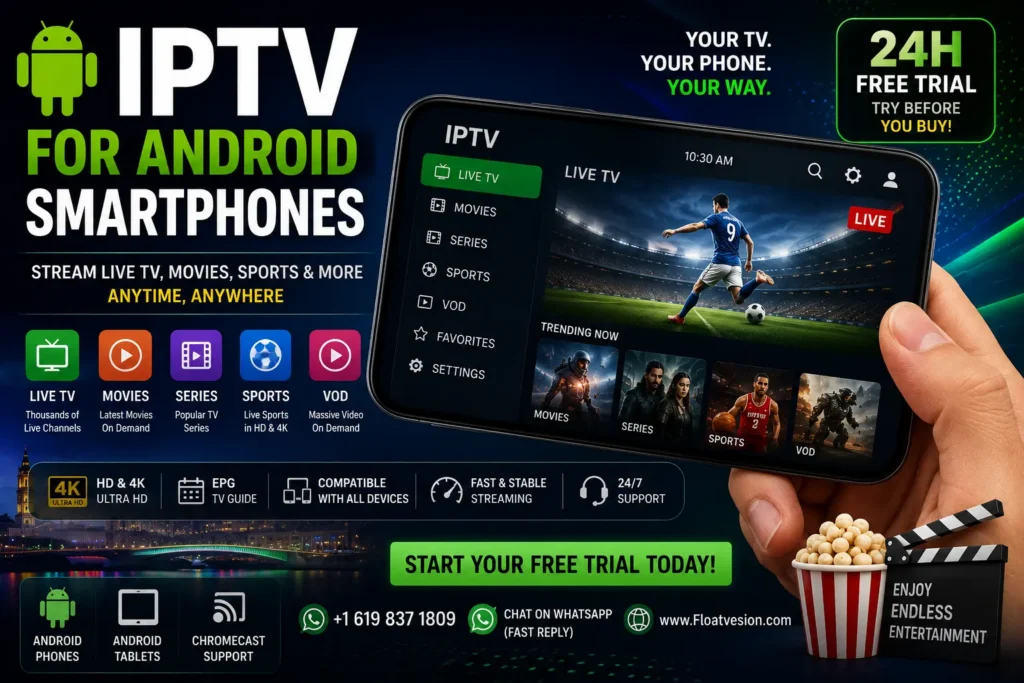
IPTV for Android smartphones: The Complete 2026 Guide to Choosing and Setting Up IPTV
Introduction
Smartphones have become much more than communication devices. Today, an Android phone can act as a portable entertainment center, allowing users to watch live television, movies, sports, news, and on-demand programming wherever a suitable internet connection is available.
This is one reason IPTV for Android smartphones has become an increasingly popular search topic among people who want a flexible way to watch television without being tied to a traditional TV screen.
IPTV, or Internet Protocol Television, delivers television content over an internet connection. When combined with a modern Android smartphone and a compatible IPTV player, it can provide a convenient viewing experience at home, while traveling, or during breaks throughout the day.
However, choosing an IPTV service shouldn’t be based on channel quantity alone. Streaming quality, application compatibility, internet performance, customer support, privacy, pricing, and content licensing all deserve attention.
This guide explains how IPTV works on Android smartphones, what features to look for, how to set it up, how to improve streaming performance, and what to consider before subscribing.
What Is IPTV for Android Smartphones?
IPTV is a method of delivering television programming through internet networks rather than conventional terrestrial, cable, or satellite broadcasting.
On an Android smartphone, IPTV generally works through a compatible application or player. The service supplies content through a playlist, portal, or login system supported by the application.
Depending on the provider and its licensing arrangements, an IPTV service may offer:
- Live TV channels
- Movies
- TV series
- Sports
- News
- Documentaries
- Children’s programming
- Video on Demand (VOD)
- Electronic Program Guide (EPG)
- Catch-up functionality
The exact features vary from one service to another.
How IPTV Streaming Works
When you select a channel or video, the IPTV application requests the content through your internet connection. The video is then delivered to your smartphone as a continuous stream.
This means three things have a major impact on your experience:
- Your internet connection
- The IPTV provider’s infrastructure
- Your Android device and application
If any of these performs poorly, you may experience buffering, low image quality, or connection problems.
IPTV Apps and Players
An IPTV player is software that displays content supplied by a compatible service. A player itself doesn’t necessarily provide television channels.
This distinction is important.
Some applications are simply media players that require users to add a legally obtained playlist or subscription. The content provider and the player are separate components.
When selecting an Android IPTV application, look for useful features such as:
- Easy playlist management
- EPG support
- Favorites
- Search
- Multiple audio tracks
- Subtitle support
- VOD organization
- Chromecast support, where available
- Parental controls
Always download applications from trustworthy sources and check the permissions requested by the app.
Why Use IPTV on an Android Smartphone?
Portability
The biggest advantage is simple: your television can travel with you.
Instead of sitting in front of a TV, you can use your Android smartphone to watch compatible content while:
- Traveling
- Waiting for an appointment
- Relaxing outdoors
- Taking a break at work
- Staying away from home
Of course, you should follow local rules and avoid watching video while driving or operating machinery.
Flexible Viewing
A smartphone makes it easier to fit entertainment around your schedule.
You don’t necessarily need to wait until you’re home to watch a program. If the service supports mobile access, you can use your phone whenever you have an appropriate connection.
This flexibility is particularly useful for people who don’t watch television according to a fixed schedule.
Multiple Content Types
A good IPTV service can bring different types of entertainment together in one interface.
Depending on the provider, you may have access to:
- Live channels
- Movies
- Series
- Sports
- News
- Documentaries
- VOD
Instead of switching between several devices, you can manage compatible content from your Android smartphone.
Benefits of IPTV for Android smartphones
Live TV
Live television remains one of IPTV’s most popular features.
A compatible service can provide access to categories such as:
- News
- Entertainment
- Music
- Lifestyle
- Children’s content
- Documentary programming
- Sports
The availability of particular channels depends on the provider and its distribution rights.
Movies and Series
Many IPTV services include VOD libraries alongside live television.
A well-organized VOD section can make it easy to browse:
- Movies
- TV series
- Genres
- Recently added content
- Favorites
On a smartphone, this makes casual viewing particularly convenient.
Sports and Entertainment
Sports viewers often want a service that makes live events easy to find.
Depending on licensing, services may provide programming related to football, basketball, tennis, motorsport, rugby, and other sports.
Before subscribing, check exactly which events and channels are legally available rather than relying on broad promotional claims.
Video on Demand
VOD removes the need to follow a fixed broadcast schedule.
Instead, users select available content from a library and begin watching when convenient.
This can be particularly useful on smartphones because short viewing sessions are common.
Features to Look for in an IPTV Service
HD and 4K Streaming
High-resolution streaming can make a significant difference on modern smartphone displays.
However, higher resolution also requires more bandwidth.
Look for services that clearly explain their available quality rather than simply advertising every channel as “4K.”
A reliable HD stream is often better than an unstable 4K stream.
EPG Support
An Electronic Program Guide, or EPG, provides information about scheduled programming.
A useful EPG can show:
- Current programs
- Upcoming programs
- Program descriptions
- Channel schedules
This makes live television much easier to navigate.
VOD Libraries
If movies and series are important to you, investigate the VOD section before subscribing.
Look for:
- Clear categories
- Search functionality
- Regular updates
- Accurate titles
- Useful descriptions
- Multiple language options where legitimately available
Playlist Compatibility
Android IPTV applications may support different playlist or portal formats.
Before purchasing a subscription, confirm that its delivery method works with your chosen application.
This simple check can prevent unnecessary setup problems.
Customer Support
Technical support matters, especially when you’re setting up IPTV for the first time.
Useful support options include:
- Live chat
- Setup documentation
- Troubleshooting guides
A provider that clearly explains how its service works is generally easier to work with.
How to Choose an IPTV Service for Android
Choosing a subscription requires more than comparing the number of channels advertised.
Consider these factors:
1. Android Compatibility
Make sure the service supports Android smartphones and your preferred IPTV application.
2. Streaming Quality
Check whether HD or higher-quality streams are available and whether your internet connection can handle them.
3. Reliability
Look for transparent information about service performance and support.
4. Content
Make sure the service legally provides the channels and programming you actually want.
5. Trial Options
If a legitimate provider offers a trial, it can help you evaluate compatibility and performance before making a longer commitment.
6. Customer Service
Good support can save considerable time when installing or troubleshooting the service.
Click Here to Start Chat on WhatsApp
Internet Speed Requirements
Internet performance has a major impact on IPTV.
As a general guideline:
| Quality | Approximate Recommended Speed |
|---|---|
| SD | 5 Mbps+ |
| HD | 10–15 Mbps+ |
| Full HD | 15–20 Mbps+ |
| 4K | 25 Mbps+ |
These are general guidelines, not guarantees. Actual requirements depend on video compression, network congestion, stream bitrate, and the service itself.
If several people are using the same Wi-Fi network, you may need considerably more bandwidth.
How to Set Up IPTV on Android
Setting up IPTV on an Android smartphone is usually straightforward.
Step 1: Choose a Compatible Service
Select a legitimate IPTV provider that offers the content and features you need.
Step 2: Install a Compatible IPTV Player
Download an IPTV application from a trusted source, preferably the official Google Play Store or the developer’s verified distribution channel.
Step 3: Obtain Your Subscription Information
Depending on the service, you may receive:
- Username and password
- Playlist information
- Portal details
- Other access credentials
Step 4: Add Your Subscription
Open the IPTV application and follow its instructions for adding your subscription or playlist.
Step 5: Load the Content
Once authenticated, the application should load the available channels, VOD categories, and EPG information supported by the service.
Step 6: Test Streaming
Start with an HD channel and check:
- Picture quality
- Audio
- Buffering
- Channel loading
- EPG information
Testing before committing to a longer plan is a smart approach when a legitimate trial is available.
Best Android Smartphone Settings for IPTV
A few simple changes can improve your experience.
Use a Stable Wi-Fi Connection
If possible, connect to a strong 5 GHz Wi-Fi network when you’re close enough to the router.
Keep Android Updated
System updates can improve security, stability, and application compatibility.
Keep Your IPTV App Updated
Developers regularly release updates that fix bugs and improve performance.
Free Storage Space
Very low storage can affect overall smartphone performance.
Close Unnecessary Apps
Closing demanding background applications can free memory and processing resources.
Avoid Battery Saver During Streaming
Aggressive battery-saving modes can sometimes restrict background activity or reduce performance.
Common IPTV Problems and Solutions
Buffering
Buffering can result from several factors.
Potential causes include:
- Weak Wi-Fi
- Network congestion
- Slow internet
- Server-side issues
- High stream bitrate
What to Try
Restart your router, move closer to your Wi-Fi access point, reduce other network activity, or switch to a lower-quality stream.
Poor Video Quality
If a stream looks blurry, check whether the source offers higher-quality playback.
Also consider whether your internet connection can maintain the required bitrate.
App Crashes
Try:
- Closing and reopening the application.
- Restarting your Android phone.
- Updating the application.
- Clearing the application’s cache.
- Checking available storage.
Login Problems
Double-check your credentials and make sure your subscription is active.
Avoid sharing credentials publicly.
IPTV Subscription Plans
IPTV providers may offer different subscription periods.
| Plan | Suitable For |
|---|---|
| Monthly | New users |
| 3 Months | Short-term viewers |
| 6 Months | Regular viewers |
| 12 Months | Long-term users |
Don’t choose an annual plan simply because it appears cheaper. First verify that the provider is legitimate, compatible with your device, and offers the content you want.
Security and Privacy Considerations
Security should be part of your IPTV checklist.
Before installing an IPTV application:
- Check the developer.
- Review app permissions.
- Avoid suspicious APK files.
- Keep Android updated.
- Use strong account passwords.
- Don’t share login credentials publicly.
Be particularly cautious with applications that request permissions unrelated to their basic purpose.
For example, an IPTV player shouldn’t normally need unrestricted access to unrelated personal information.
Legal Considerations
IPTV technology itself is legal. The important question is whether a particular provider has the rights or licenses required to distribute the content it offers.
Before purchasing a subscription, check:
- Who operates the service?
- What content rights does it have?
- Are terms and conditions available?
- Is there legitimate customer support?
- Are payment and refund policies clearly explained?
Avoid services that advertise copyrighted premium content without clear authorization.
Tips for a Better IPTV Experience
Follow these practical tips for a smoother experience:
- Choose a reputable service.
- Test compatibility before buying a long-term subscription.
- Use a stable internet connection.
- Prefer reliable Wi-Fi over weak connections.
- Keep Android and your IPTV application updated.
- Use a reputable IPTV player.
- Check content licensing.
- Don’t install suspicious APK files.
- Keep your account credentials private.
- Contact support when technical issues occur.
Frequently Asked Questions
1. What is IPTV for Android smartphones?
It is a way of watching compatible television and on-demand content through an IPTV service and an Android-compatible player using an internet connection.
2. Can I watch IPTV on any Android phone?
Most modern Android smartphones can run IPTV applications, but compatibility depends on the Android version, application requirements, available storage, and the IPTV service.
3. Do I need a special Android phone for IPTV?
No. You generally don’t need a specialized phone. A reasonably modern Android smartphone with a stable internet connection is usually sufficient for standard IPTV streaming.
4. How much internet speed does IPTV need?
HD streaming commonly requires around 10–15 Mbps or more, while 4K streaming may require 25 Mbps or higher. Actual requirements vary by stream quality and bitrate.
5. Can IPTV work with mobile data?
Yes, if the service and application support mobile connections. However, video streaming can consume significant amounts of data, so check your mobile plan before watching for extended periods.
6. Can I cast IPTV from Android to my TV?
Some IPTV applications support Chromecast or other casting technologies. Compatibility depends on the application, smartphone, and TV or streaming device.
7. Why does IPTV buffer on my Android phone?
Buffering can result from weak Wi-Fi, network congestion, insufficient bandwidth, high stream bitrate, or problems on the provider’s side.
8. Is IPTV legal?
IPTV technology is legal. However, providers must have appropriate rights to distribute copyrighted content. Users should choose services that operate lawfully.
9. Should I choose HD or 4K IPTV?
Choose based on your device and internet connection. A stable HD stream can provide a better experience than an unreliable 4K stream.
10. Is a free IPTV trial useful?
A legitimate trial can help you test application compatibility, streaming quality, channel availability, and customer support before purchasing a longer subscription.
Conclusion
IPTV for Android smartphones provides a convenient way to access compatible live television and on-demand entertainment from a portable device. The biggest advantages are flexibility, portability, multi-content support, and the ability to watch without being tied to a traditional television screen.
However, the quality of your experience depends on more than the Android phone itself. Your internet connection, IPTV application, provider infrastructure, content availability, and subscription terms all play important roles.
Before subscribing, compare compatibility, streaming quality, EPG functionality, VOD options, customer support, pricing, and—most importantly—the provider’s authorization to distribute its content.
With the right combination of a reliable service, suitable Android application, and stable internet connection, your smartphone can become a convenient entertainment screen wherever you have an appropriate connection.
Ready to Try IPTV on Your Android Smartphone?
Enjoy compatible live TV, movies, sports, series, HD & 4K entertainment across supported devices.
📲 WhatsApp: Start a WhatsApp chat
📞 WhatsApp: +1 619 837 1809
🌐 Website: Floatvesion
Test the service, check compatibility with your Android smartphone, and explore the available content before choosing a longer subscription.
